Cache WordPress Rest API Endpoint With Cloudflare

Football Leagues plugin heavily utilizes the WP Rest API for live games, calendars, home/away standings, game tooltips, and other dynamically loaded content.
The advantage of the WP Rest API is its ability to be cached at the server level or by a CDN. In this tutorial, I will show you how to cache plugin endpoints using Cloudflare.
Why Cloudflare? It is
– 💰 free,
– 🚀 extremely fast,
– 🌐 has many data centers located around the world.
Before Getting Started
This solution will only be available for domains that have been proxied by Cloudflare. Go to the “DNS” >> “Records” and check your Proxy status.
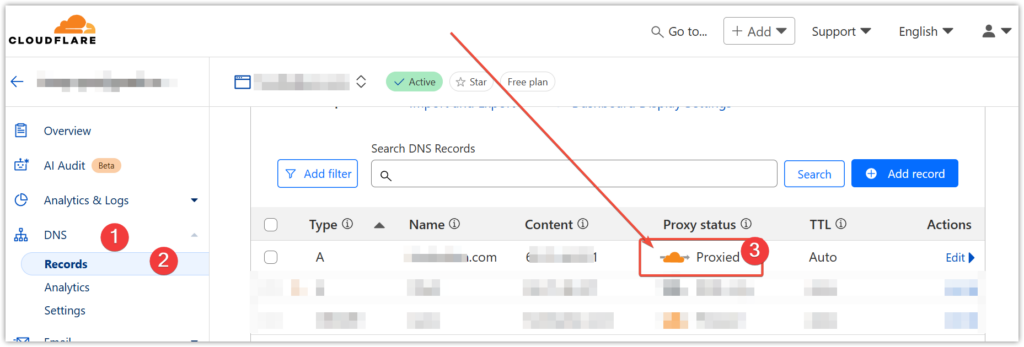
Page Rules require a proxied DNS record for your page rule to work. Page Rules will not apply to hostnames that do not exist in DNS or are not being directed to Cloudflare.
— from https://developers.cloudflare.com/rules/page-rules/
Create Page Rule
Cloudflare, by default, only caches static files such as images, JavaScript, and CSS. To cache REST API endpoints, we need to create a Page Rule. The free tier is limited to a maximum of three rules per domain.
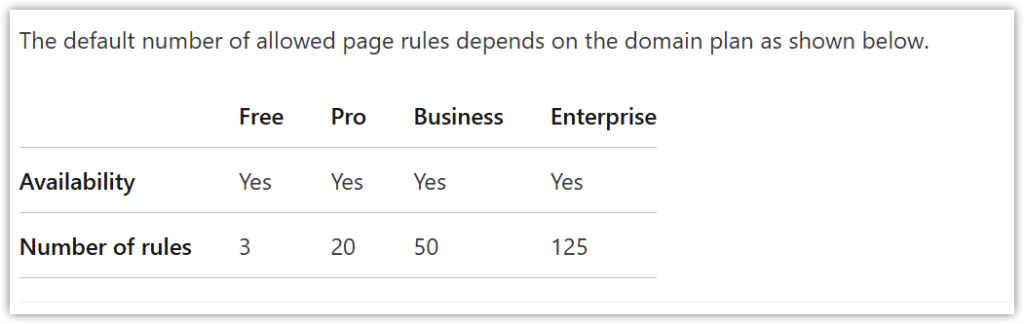
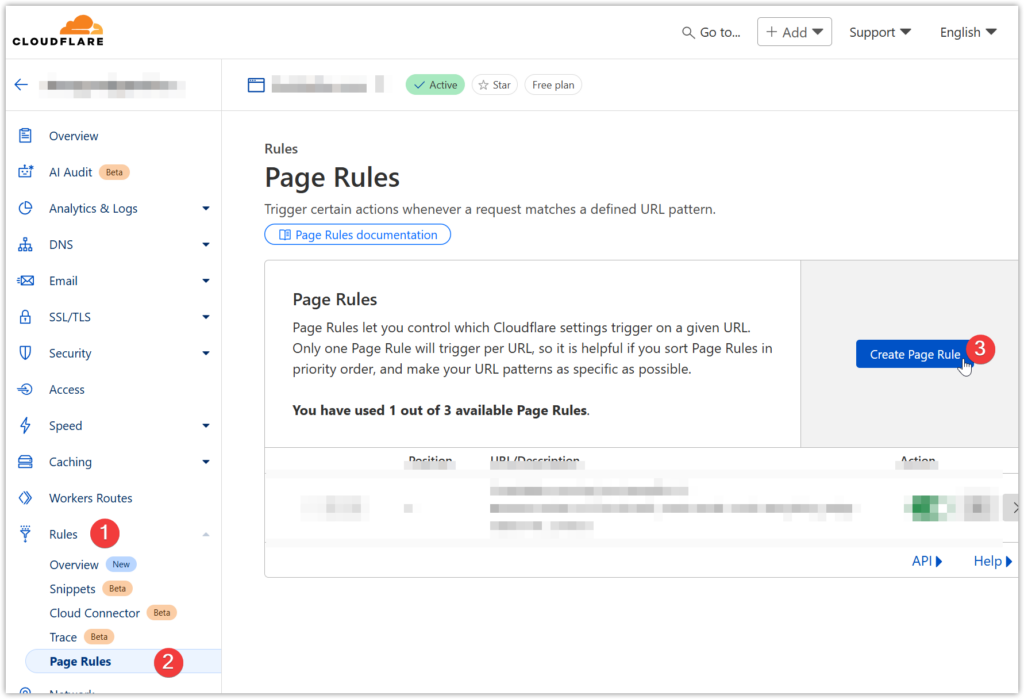
Navigate to “Rules” > “Page Rules”. Click on the “Create Page Rule” button to proceed.
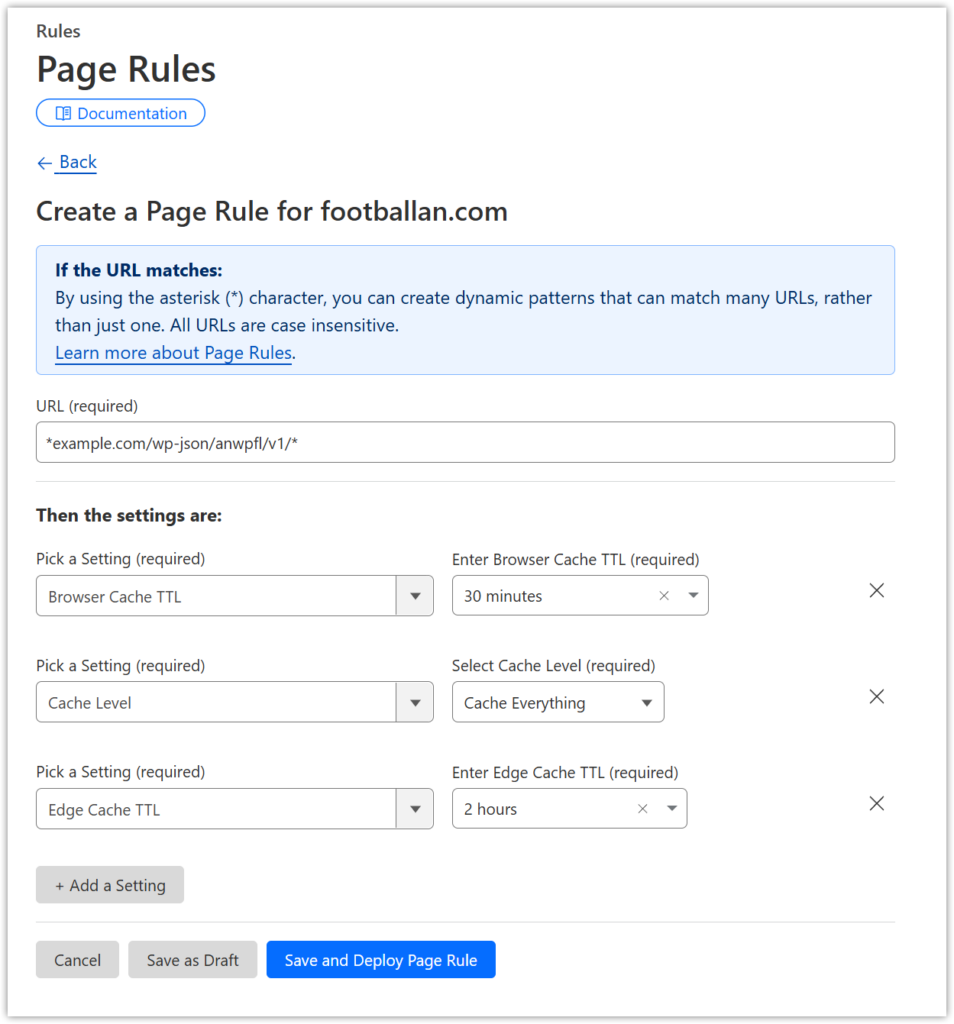
Enter the correct URL. In most cases, it will be *<your domain>/wp-json/anwpfl/v1/*
Make sure to replace “yourdomain.com” with your actual domain name.
*yourdomain.com/wp-json/anwpfl/v1/*Then add Rule settings:
- Browser Cache TTL > 30 minutes
- Cache Level > Cache Everything
- Edge Cache TTL > 2 hours
Click on “Save and Deploy Page Rule”.
Check Cache Status
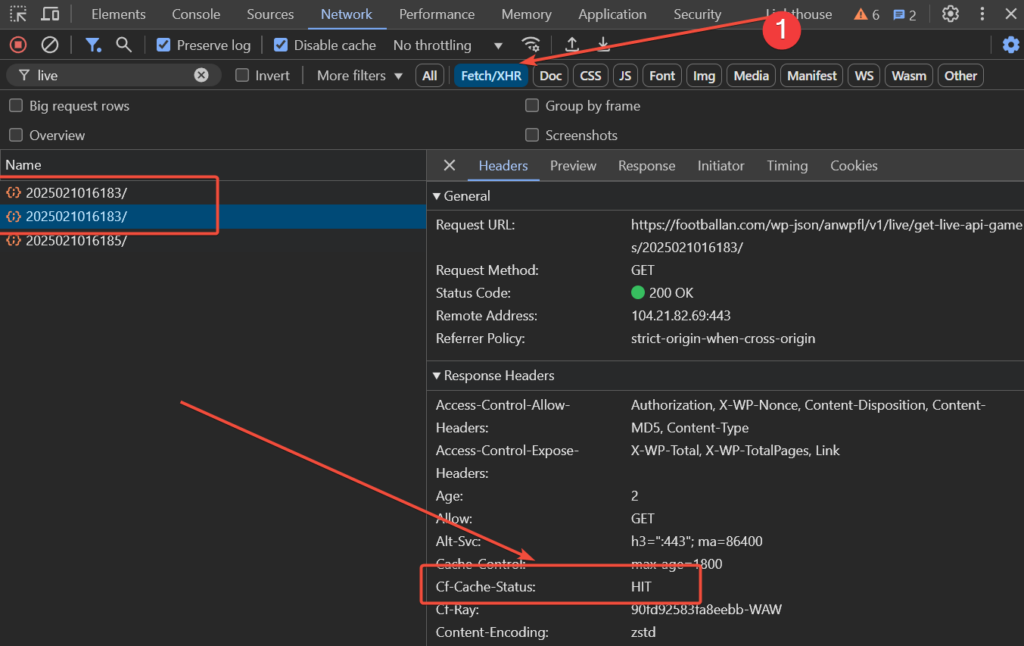
To determine if Cloudflare has cached your request, visit your website page with LIVE games and open your browser’s dev console. Filter by “Fetch/XHR” and reload the page several times.
Identify multiple identical requests and check their “Cf-Cache-Status”. The second and subsequent identical requests should display a “HIT” status (see the screenshot).