Football Leagues 0.18.4 – Hidden Clubs, Standing Columns, Conferences and Faster Pages
Football Leagues PRO 0.18.4 and free 0.18.5 are out. This is a standings release, mostly: the table on your competition page got a column picker, stat columns, conference groups that finally render the way they should, and it now costs a fraction of what it used to on a page carrying several of them.
One feature isn’t about standings at all, and it’s the one single-team sites keep asking for. Start there.
Hidden clubs and players
If you run one club, you still want the whole league in your database – a table with 19 missing teams isn’t a table. But importing the league also creates 19 club pages and several hundred player pages you never wanted: thin pages, in your sitemap, competing with the content you actually wrote.
Hidden is a new status that separates those two things. Mark a club or player Hidden and it keeps its place everywhere your data needs it – standings, statistics, lineups, squads – as plain text instead of a link, while its own page returns a 404 and it drops out of site search. Your data is untouched: every match it played still counts, and it stays fully selectable in the admin.
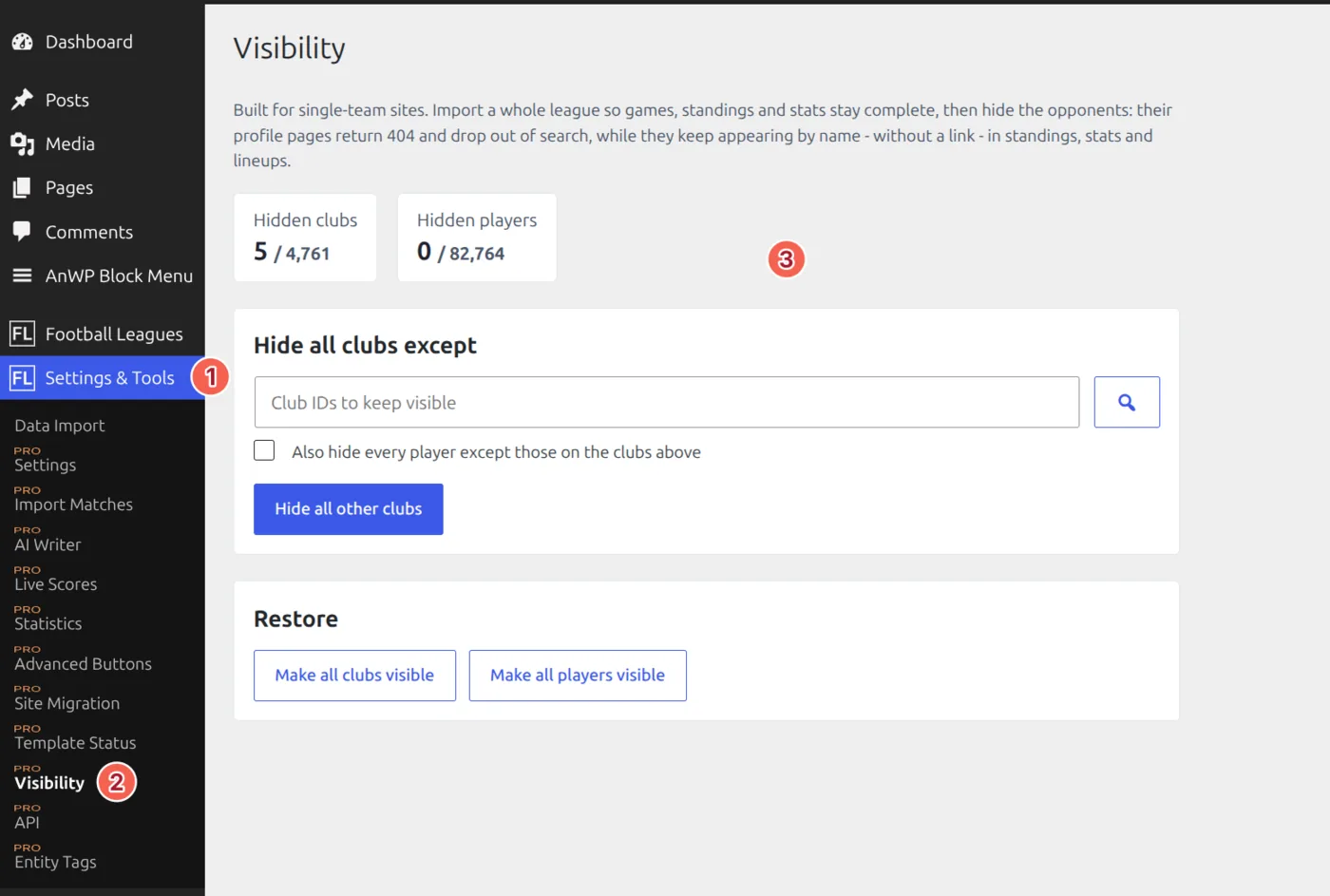
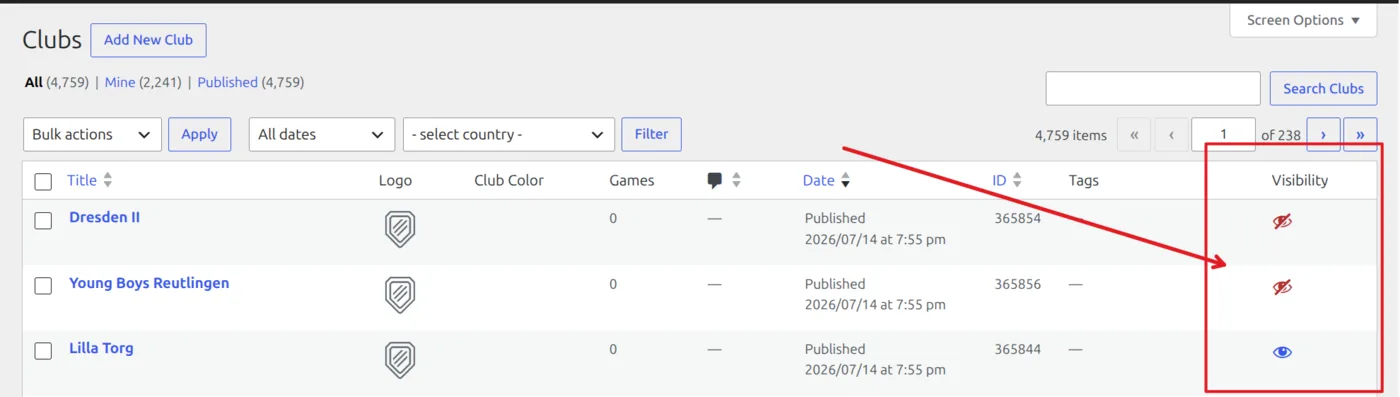
The single-team setup is one step: Settings & Tools > Visibility, pick the club you want public, tick the box to hide the other clubs’ players, press the button. For one-off changes the Clubs and Players lists have a new Visibility column – one click per row, no reload – plus Quick Edit, Bulk Edit and a Mark as Hidden bulk action.
Single-team tip
Turn on Hide new teams and players created by an import in API Import > Settings > Advanced Setup before your first import. Everything an import creates lands Hidden, so your own club is the only thing you ever publish. Clubs you already have are never touched – a re-import won’t publish one you hid.
Standing columns you choose – and pin
A standing table used to ship eight columns and that was that. Now you pick which appear, in what order, and which ones stay when the table runs out of room.
Start with the room part, because that’s what your visitors notice. There are no fixed width steps any more. The table measures the space it actually has and drops columns from the right until the rest fits – but a pinned column never drops. Here’s an 11-column table going from 640px down to 340px, with Played, GD and Points pinned:
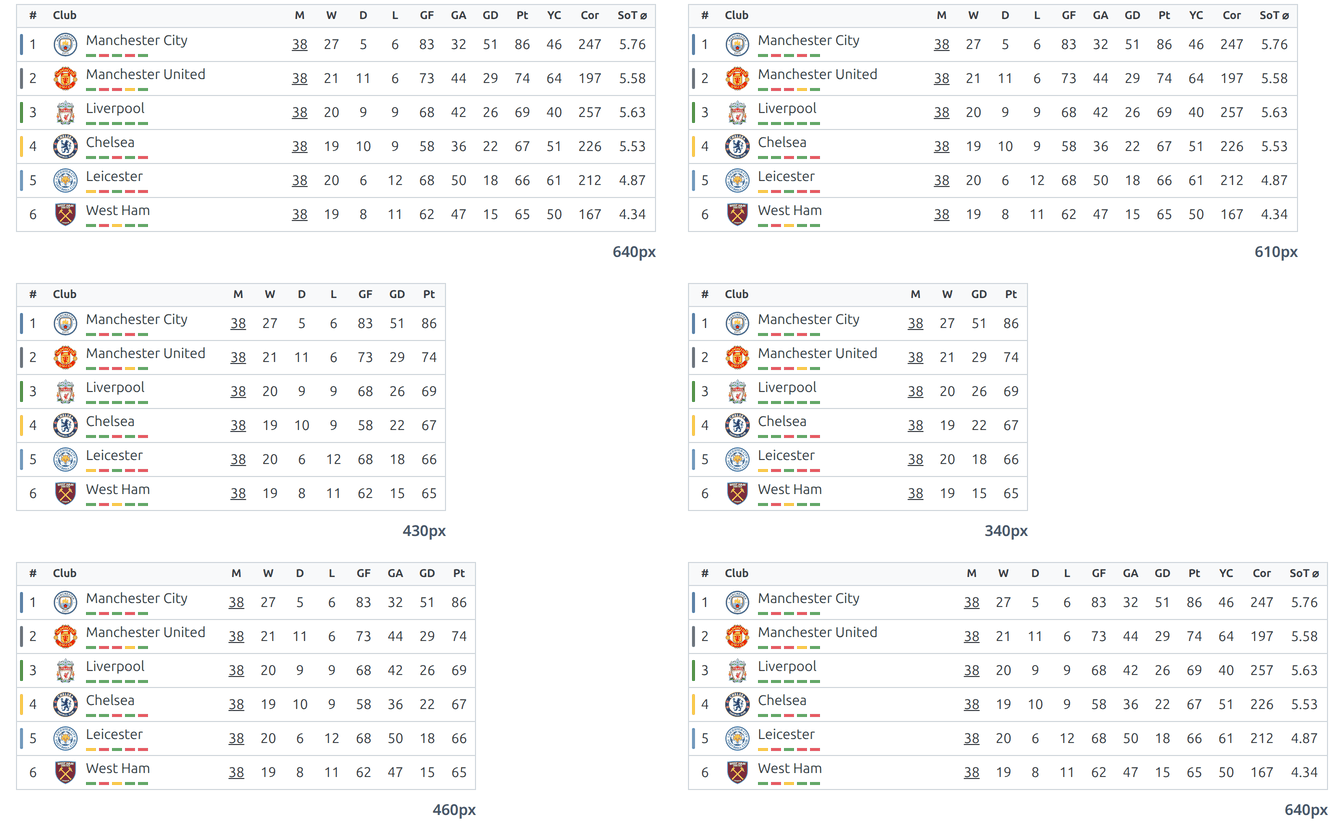
The form guide shrinks to small colored bars when space runs short, so the club name keeps its room. And a table you haven’t touched still looks the same on a phone as it did before.
Four ratio columns come with the free plugin: points per game, win percentage, goals for per game, goals against per game. All four are worked out from figures the table already holds, so they’re as correct on a hand-filled table as on an imported one. PPG is the one amateur leagues want – when clubs have played a different number of games, points alone make the club with fixtures in hand look worse than it is.
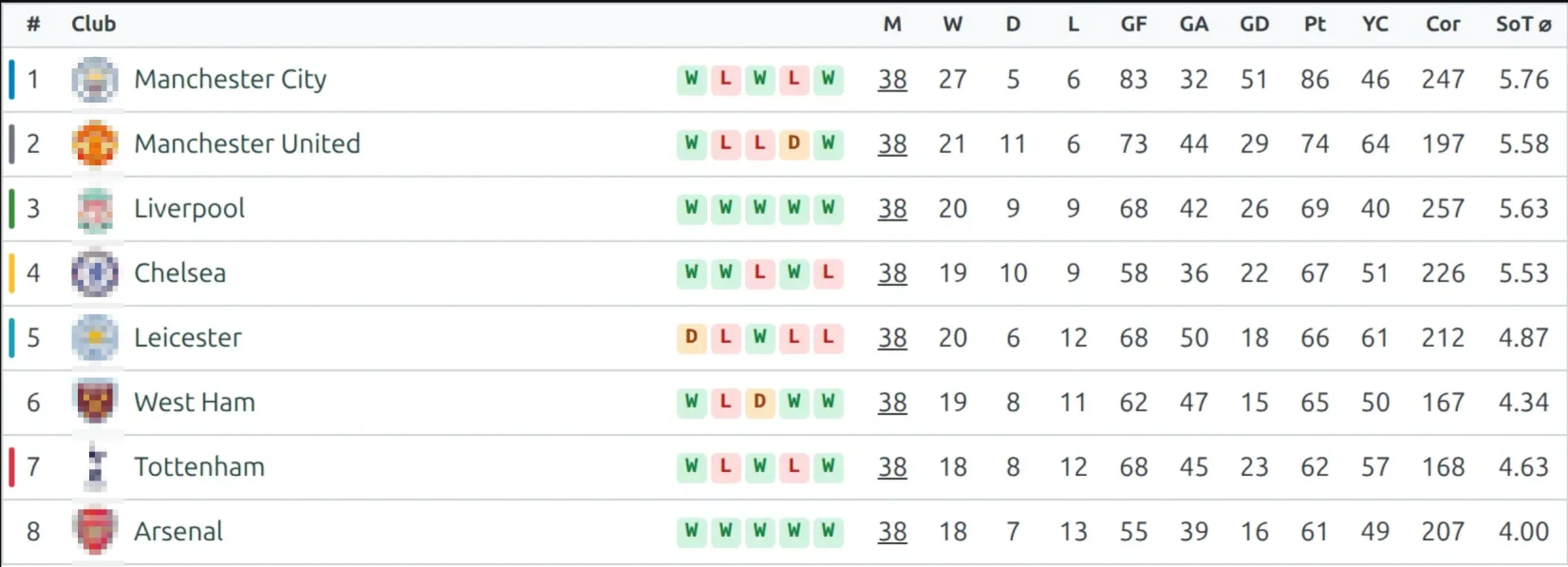
PRO adds stat columns – the YC, Cor and SoT columns in the animation above. Pick any club match statistic – corners, cards, fouls, offsides, shots, shots on goal, clean sheets, plus your own custom team stats – as a season total or a per-game average. Nothing is stored and no recalculation runs: the numbers are built at render time from the same games the table itself counts, so they always agree with the Played column beside them.
Imported tables work too, once you fill in the Game Date Range – an API-imported standing keeps no record of which games it covers. The range is checked against the table first, and mismatched ranges hide the stat columns rather than print figures that disagree with it.
Set it all up once in Settings > Display > Standing > Table Columns (Global). Every column is one row: a pin to keep it on narrow screens, an eye to show or hide it, and arrows (or drag) to move it. Top to bottom is left to right in the table, and stat columns come from the Add stat column button under the list.
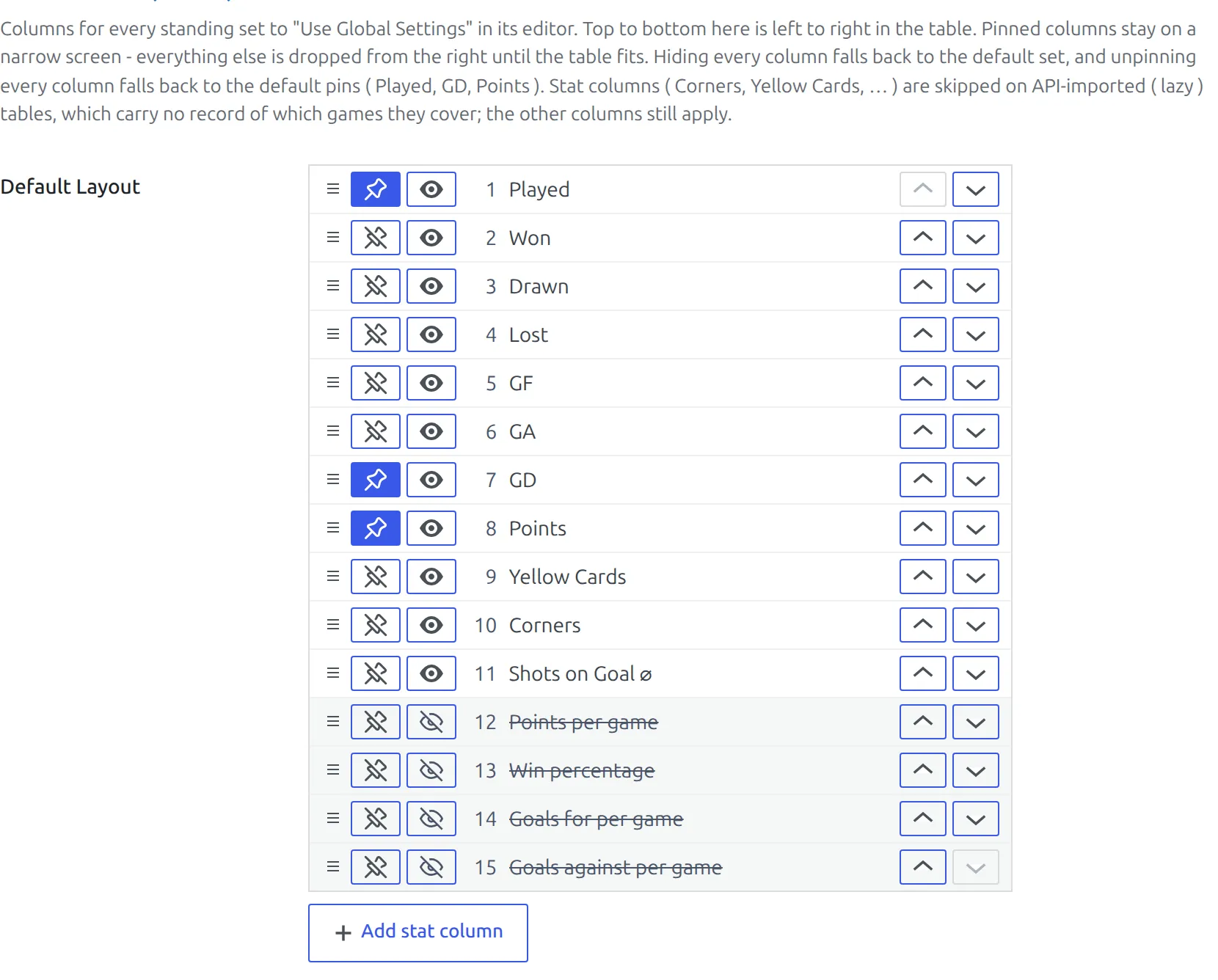
Every standing on Use Global Settings follows on the next page load, and any single table can switch to Custom and get the same row editor in its own settings. Two safety nets: hide every column and the table falls back to the default set, unpin every column and it falls back to the default pins – Played, GD and Points. The Mini layout (the FL Standing Table widget and layout="mini") gets the same editor too, and can now show GF, GA and GD.
A cleaner standing table
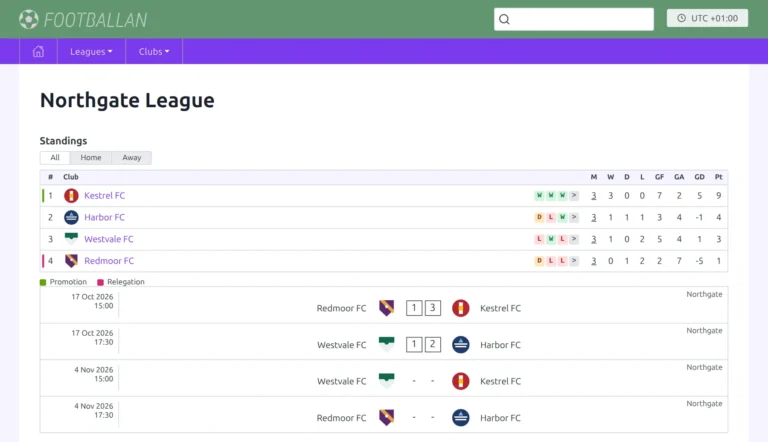
Free and PRO both get a new default look. The vertical lines between columns are gone, and promotion and relegation zones show as a thin colored bar on the edge of the position cell instead of a filled cell.
This applies to existing sites as well as new ones. Prefer the filled cells? Zone Color Style in Settings > Display > Standing switches back. And printing a standing prints every column, whatever the screen width had hidden.
Conferences that render
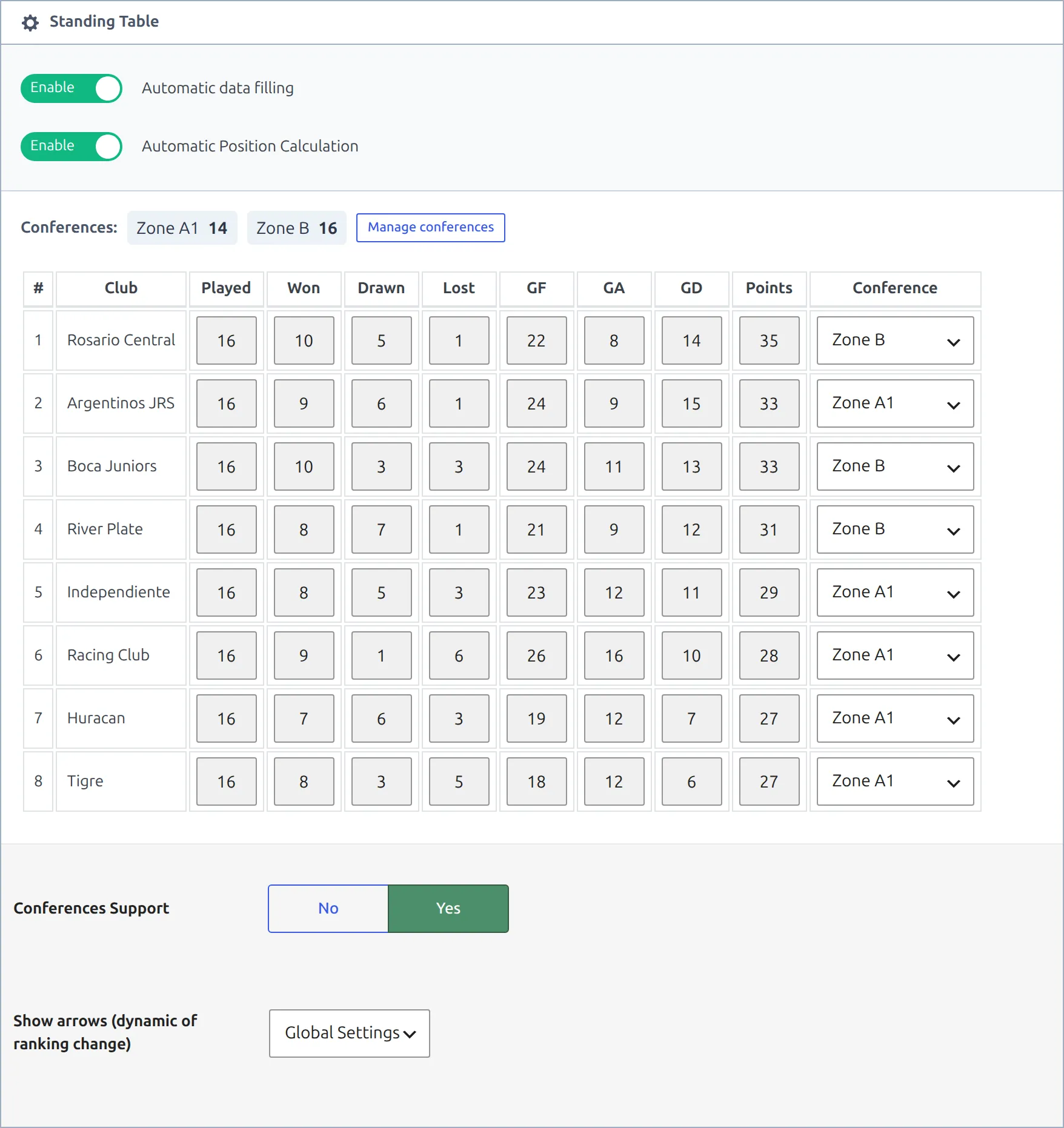
Conferences split one standing into named groups – East and West, four divisions, whatever your league uses. Each gets its own heading, numbering from 1, position colors and arrows, while staying one table with one set of ranking rules.
The feature existed. It just had a bad time on real data, and four things are fixed here. Saving without a conference name on every club blanked the front-end table. A club with no name was repeated inside every group. A matchweek-filtered table was drawn once per conference, so the same table appeared two or three times over. And position arrows compared against the overall table rather than the club’s own group.
Clubs you haven’t assigned now collect at the bottom under an Other heading you can rename, so a table is never blank and a club is never lost. The Conference column in the editor is a dropdown of the names you already use, instead of a free-text box where a typo quietly created a second conference. A new Manage conferences panel adds, renames and removes them – renaming is a merge, so a mistyped name folds back in one step.
Pages that carry a lot of tables
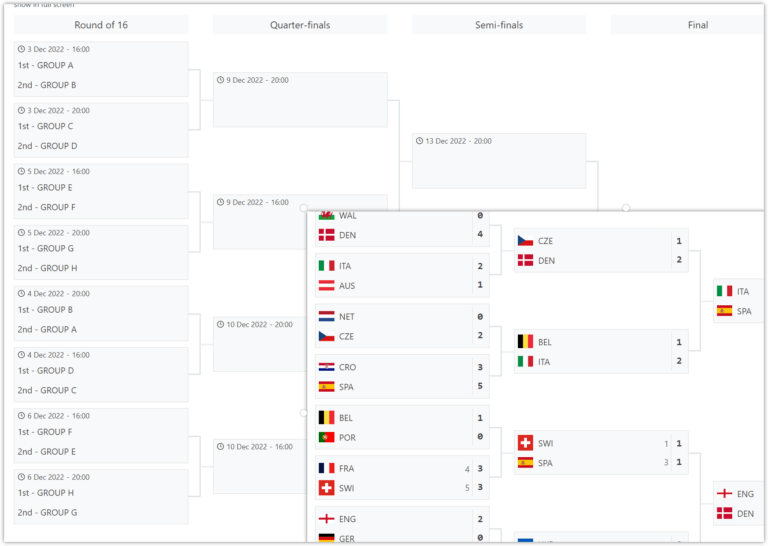
A standing table is one of the more expensive things the plugin renders, and a 13-group World Cup page pays for it thirteen times per load. Three things changed; two need nothing from you.
A competition stage with several tables in tabs now sends only the open tab’s table; the rest arrive when a visitor opens their tab. On a ten-table stage that’s roughly 40 KB instead of 326 KB. And a team page showing a partial table used to ship a hidden copy of the whole table in case someone pressed Show full table – now the button fetches it. That’s 56 KB instead of 198 KB.
The third is a switch: Cache rendered tables (seconds) in Settings > Display > Standing. Set a number and the finished HTML of every table is reused for that long. Recalculating a standing clears its cache immediately, and saving plugin settings clears it too, so results and labels are never stale – but a club rename waits for the timer. Off by default.
Already running a page cache?
Leave the render cache off – if WP Rocket or LiteSpeed already serves the page, the table isn’t being rendered on those requests anyway. It earns its keep on sites with logged-in visitors, live pages, or a page cache that gets bypassed.
Also in this release
- CSV export for clubs, stadiums, staff and referees, matching the Batch Import columns.
- Standing tables recalculate after a Games import, one at a time from a “Recalculate now” bar, so a 380-match league doesn’t time out.
- Broken Player References, a tool for deleted players still named in lineups, events, formations and squads.
- Editor block previews work again on WordPress 7.1, whose new canvas frame the plugin’s styles, scripts and icons never reached.
- Around 270 more front-end labels are editable in Translations > Text Strings.
- Block Performance Profiling in Settings > Advanced > Diagnostics, which logs render time, memory and query count per template to Query Monitor. Administrators only.
- Documentation for all 34 shortcodes, each with its full attribute list.
- WordPress 6.5 is now the minimum.
- For add-on authors: an anwpfl/lb/block_content filter, to replace, hide or add a Layout Builder v2 block.
Updating
Update from Plugins in your WordPress admin. Update the free plugin and PRO together – they carry separate numbers (free 0.18.5, PRO 0.18.4) but ship as one release.
- Hidden Clubs & Players
- Standing Columns
- Standing Conferences
- Performance Optimization
- All Football Leagues documentation
Found something that doesn’t work the way this post describes? Open a topic on the support forum – release week is when we’re fastest.