How to Create a Club Website with WordPress
A club website has one job: tell people when the next game is, how the last one went and where the club sits in the table. Then it shows the squad, the news and how to buy a ticket or sponsor the club. Most club sites are built by a volunteer on a few weekends, so the setup has to be quick and the weekly updates even quicker.
This guide shows two ways to create a club website with WordPress. The first costs nothing but your time. The second uses a ready-made design and gets a finished site in front of you in minutes. Both run on the same plugin, so you can start with one and move to the other.
What a club website needs
Before you pick a theme or a plugin, list what the site has to show. For a football club that’s usually:
- Fixtures and results – the next games, the last scores, a match page for each game
- The league table – with your club’s row easy to find
- The squad – players with photos, numbers and positions
- News – match reports, signings, club announcements
- The basics – the ground, ticket and membership links, sponsors, social links
The first three are the hard part. A table that you update by hand after every match day goes stale fast. So the core of a good club site is a plugin that calculates the table and player stats from the results you type in.
Create a football club website: the free way
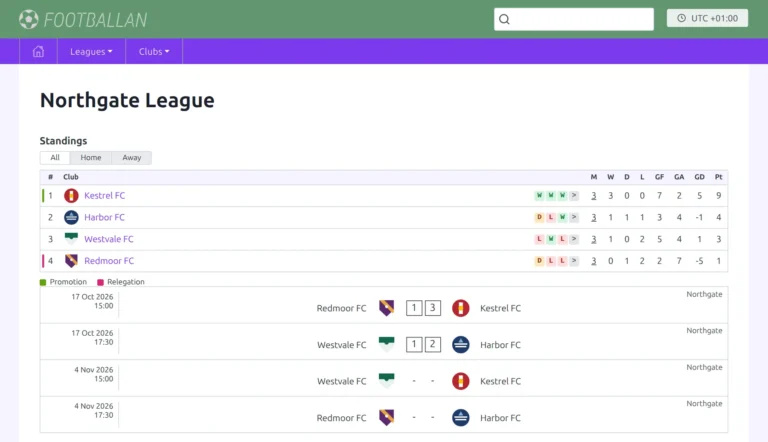
Football Leagues is a free WordPress plugin for exactly this. You add your clubs, players and competitions, enter the score of each game, and it builds the rest:
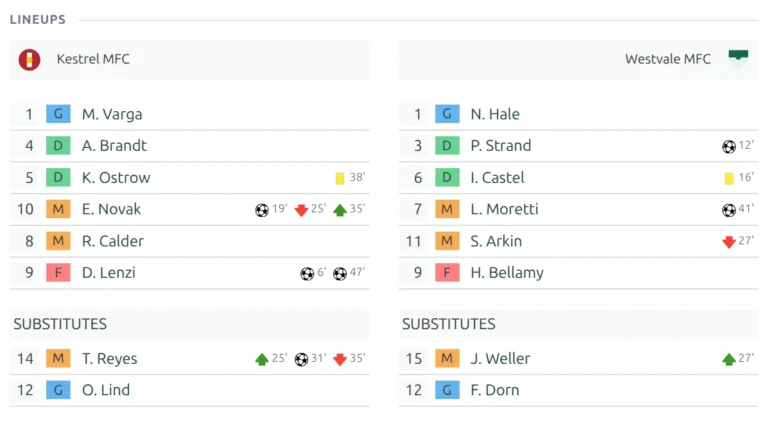
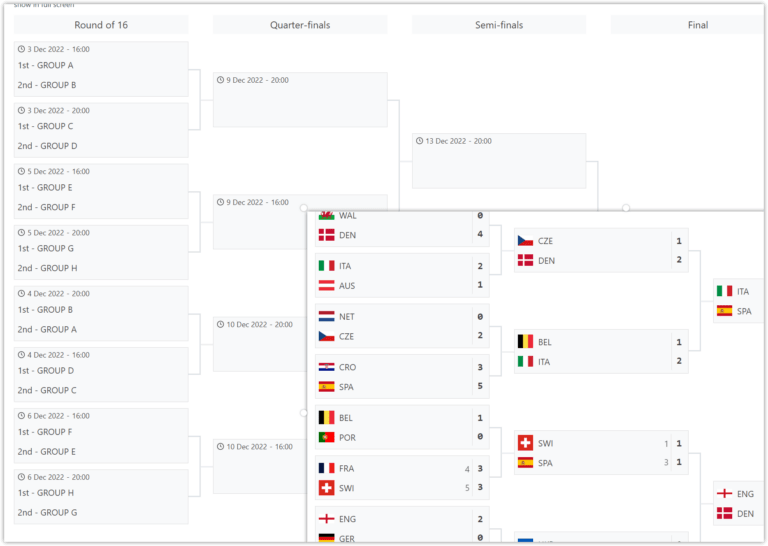
- Fixtures, results and a page for every game, with lineups, goals, cards and substitutions
- Standings calculated from the results, with head-to-head rules and promotion and relegation colors
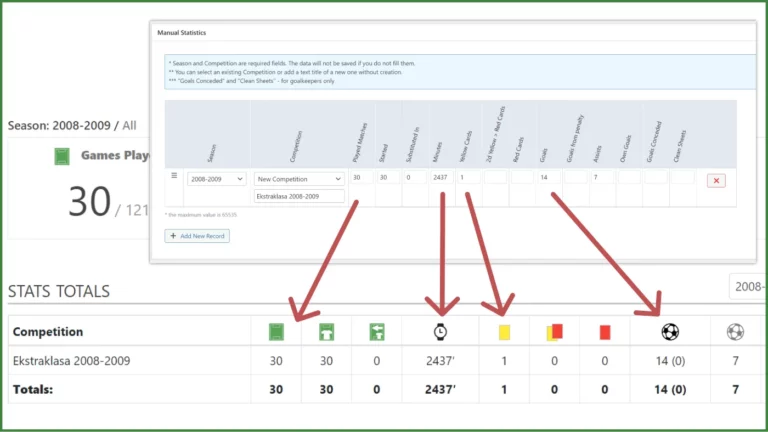
- Club pages with the squad, player profiles with stats per season
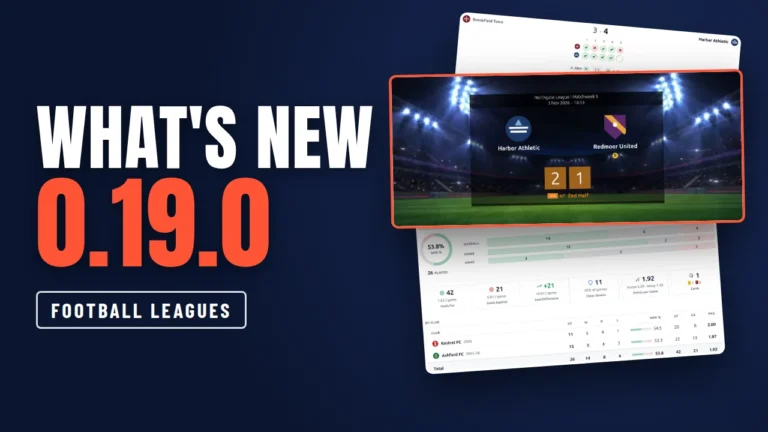
- 7 blocks, 17 shortcodes and 11 widgets to put fixtures, tables and countdowns on any page
- A Data Import tool, so you can paste a whole season from a spreadsheet
Install it from Plugins > Add New, then follow the Start Guide to add a season, your league, the clubs and the games.
But the plugin gives you the football data, not the website around it. You still pick a theme, build a home page, set up the menu, the header and the footer, and decide where the next fixture, the table and the news go. That’s where most volunteers lose their weekends. If you enjoy that part, this route is all you need.
The fast way: a ready-made club website design
AnWP Club Kit adds finished club website designs to Football Leagues. A design isn’t just a theme skin. One install sets up:
- The Kadence theme style: colors, fonts, widths and the design’s own CSS
- 6 pages: Home, News, Squad, Fixtures, a league table page and Match Centre, with the menu and your home page set
- A header and footer, and on some designs a strip above the header or a next fixture bar
- 8 or 9 news posts with photos, so the pages look finished from the start
- Football Leagues display settings and a player page layout to match
- A demo league: 12 fictional clubs, 240 players and 132 games, dated to your install day
Here’s the whole setup on a real site. We timed every run on our own test site, with a fictional club called Ravensholt FC.
Step 1: what you need
- Football Leagues PRO with an active licence. The free Football Leagues core comes inside it.
- The Kadence theme. It’s free, and Site Designs installs and activates it for you.
- WordPress 6.5 or newer and PHP 7.4 or newer.
That’s it. The blocks the designs use come bundled with AnWP Club Kit. You don’t need Kadence Blocks or a page builder.
Step 2: pick a design and install it
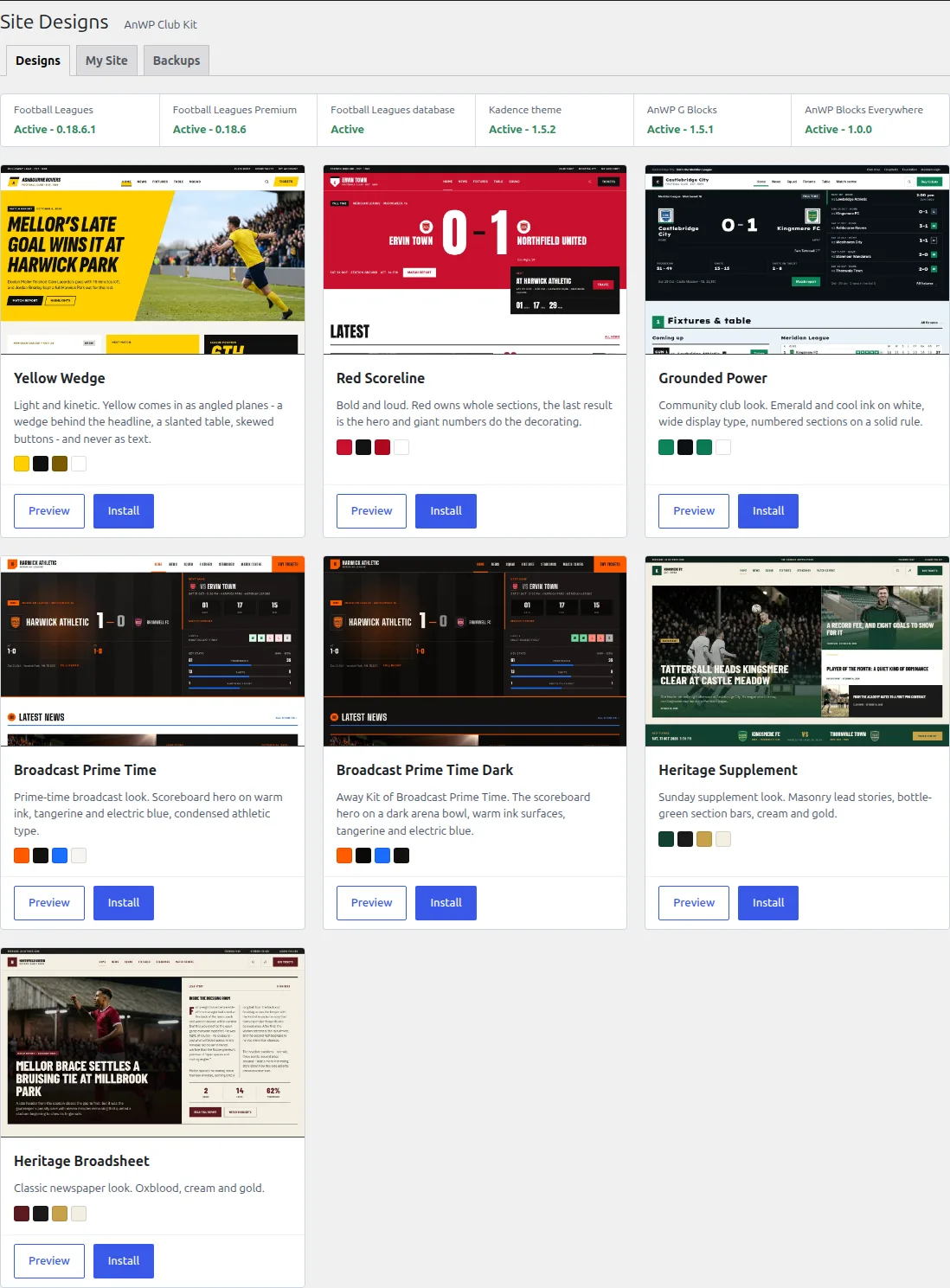
Upload the AnWP Club Kit ZIP in Plugins > Add New > Upload Plugin and activate it. Site Designs opens by itself the first time, and later you’ll find it at Football Leagues > Site Designs.
The Designs tab checks the requirements first. Anything missing has a button next to it, and a card tells you why Install is disabled until it’s fixed. Pick a design and the summary lists everything it will add before anything changes. Click Install design and watch each step finish.
On our test site Grounded Power installed in 23 seconds. Your host may be slower or faster, but it’s minutes, not hours. And a backup of your current settings is saved first, so removing the design later puts them back.
Step 3: make it your club
A fresh design shows a demo club, so every page has something to show. Now swap in yours. Your club, its season and its games live in Football Leagues, so add them there first (the wizard can also add the club and the season for you).
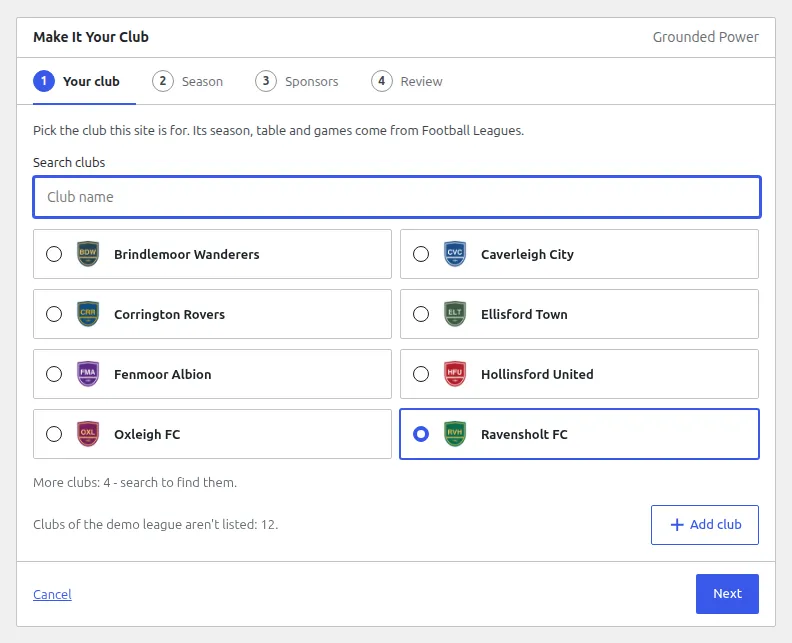
On the My Site tab, click Use my club. The Make It Your Club wizard has 4 steps:
- Your club – pick it from the list or search for it. Not in Football Leagues yet? Click Add club.
- Season – the wizard finds your season, your league, the table and your latest game for you.
- Sponsors – add your own, remove the demo ones, or keep them for now.
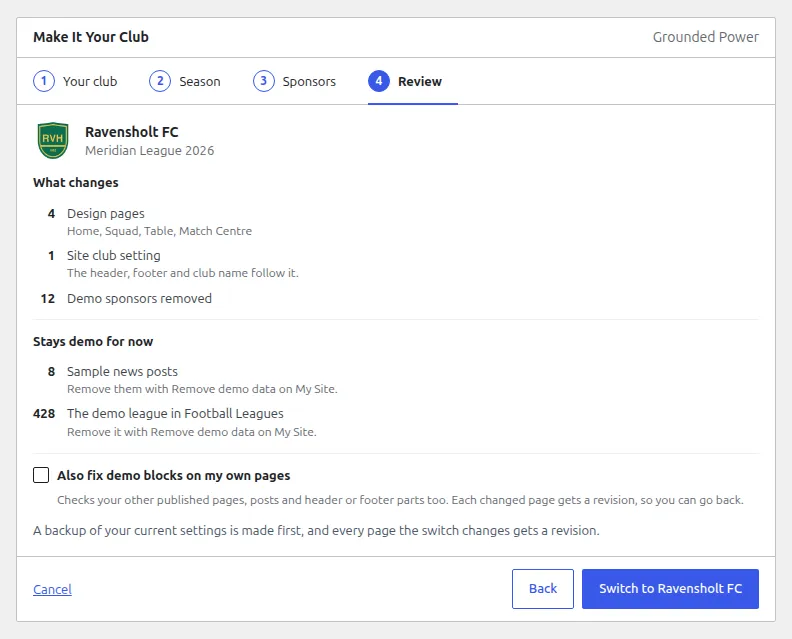
- Review – everything the switch will change, listed before it does it.
Then one click: Switch to Ravensholt FC. On our test site it changed 4 pages (Home, Squad, Table, Match Centre), the header, the footer and the site club setting in under a second. Every page it changes gets a revision, so you can go back.
The header before and after the switch:
Before: the demo club

After: your club

Step 4: remove the demo league
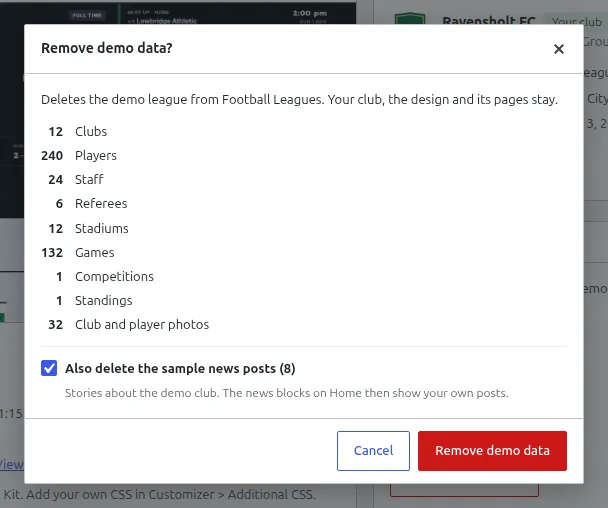
After the switch, nothing on your site shows the demo league, but it’s still in Football Leagues. Back on My Site, click Remove demo data. It deletes the demo clubs, players, staff, referees, stadiums, games and table, plus the sample news if you tick the box. Your club, the design and its pages stay.
On our test site that was 12 clubs, 240 players and 132 games, gone in 6 seconds. Our own 8 news posts stayed.
Step 5: the parts only you can fill in
No tool knows your ticket link or your club’s history. So the last bit is yours:
- Colors: every design takes its colors from the Kadence palette, and swapping two colors is usually enough. Change Colors shows each design’s palette.
- Links and footer text: tickets, social links, the club’s address.
- News and photos: publish your own posts, and the news blocks on the home page show them.
This is the real work, and it’s why we say “this weekend” and not “in 5 minutes”. But it’s an afternoon of filling in your own details, not building a site from scratch.
Sports club website design: pick a template
Every design installs the same pages and the same football features. What changes is the look, the fonts and the home page layout. You can try all 7 on a live demo before you buy.
| Design | The look | The home page opens with |
|---|---|---|
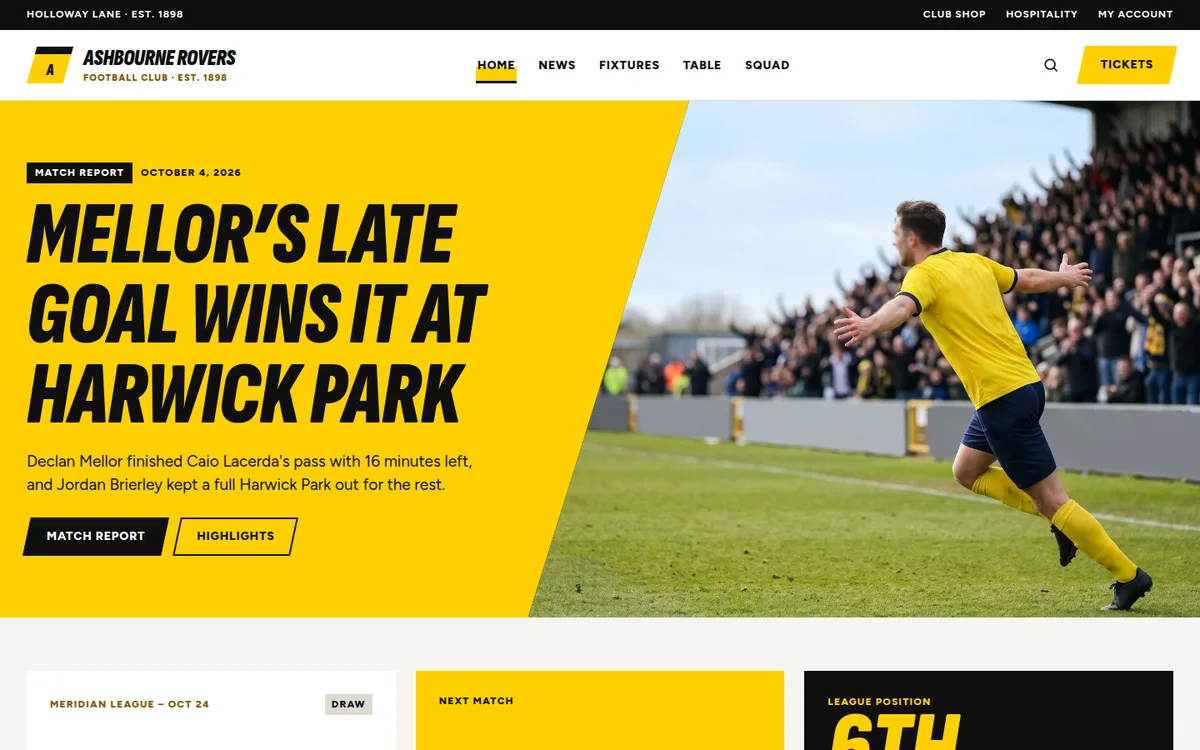
| Yellow Wedge | Light and quick. Yellow wedges and slants on white, black bands | A match report headline on a yellow wedge |
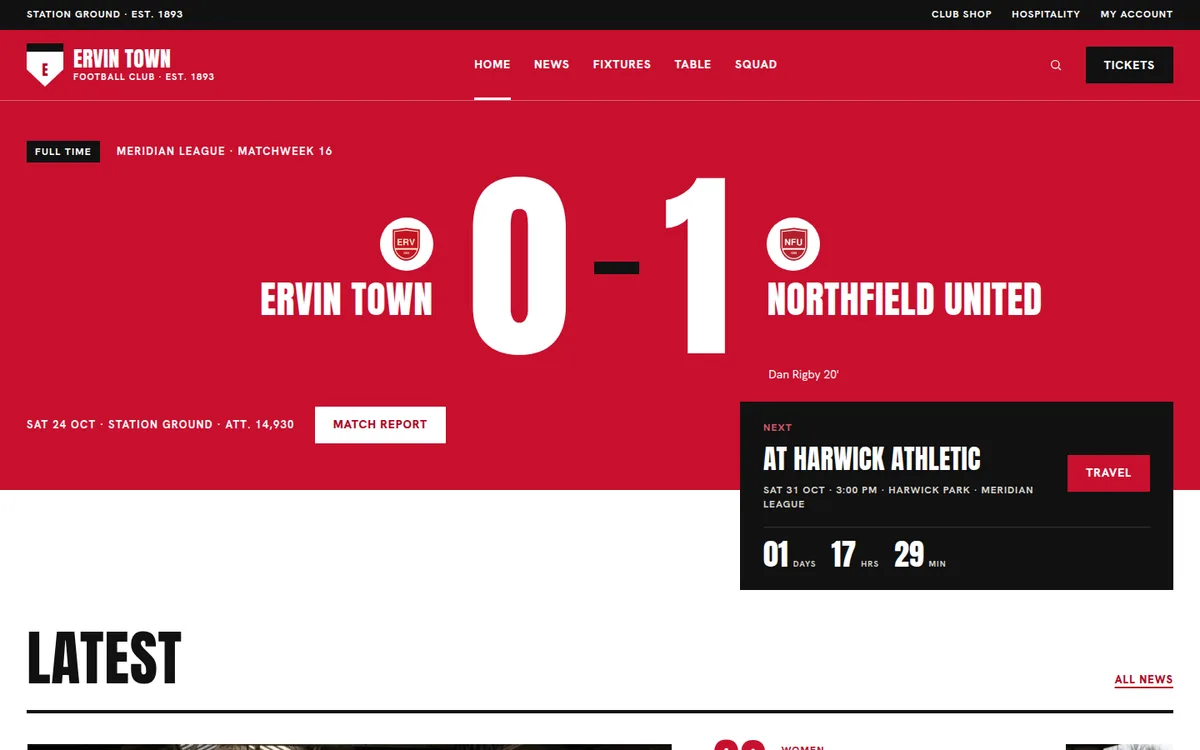
| Red Scoreline | Bold and loud. Red and black bands, giant numbers | Your last result as a giant score |
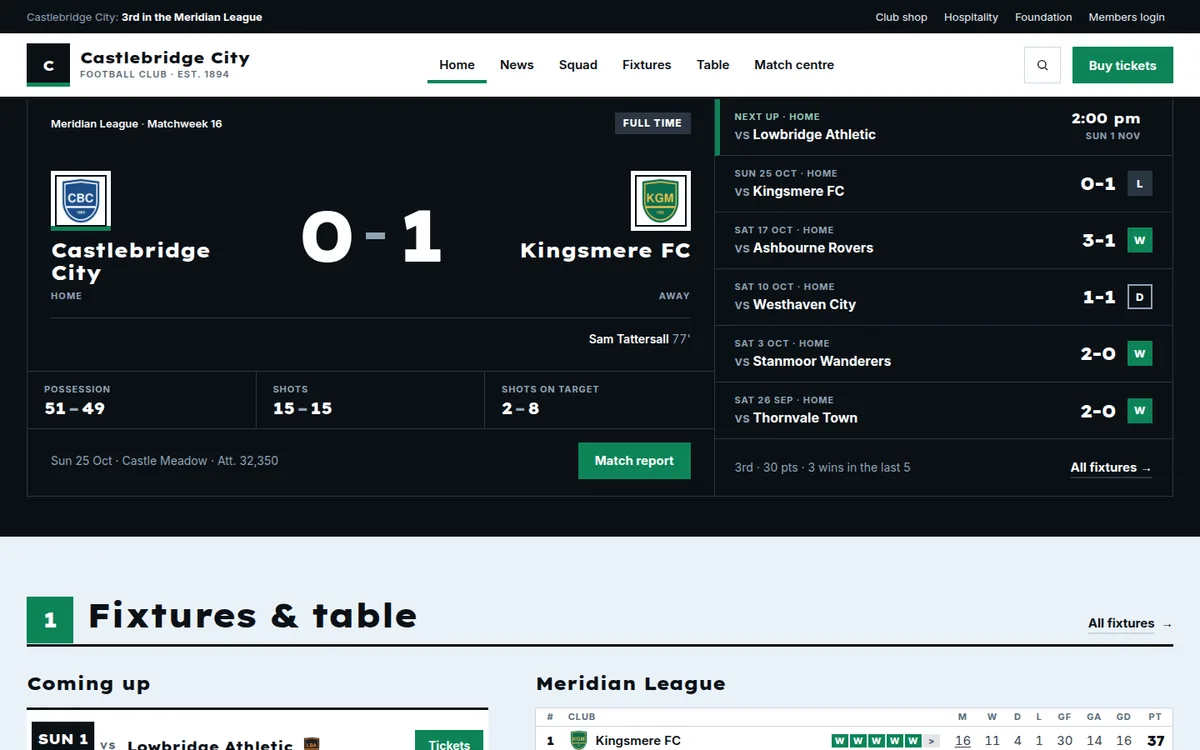
| Grounded Power | A community club. Emerald and cool ink on white | A matchday panel with your last result |
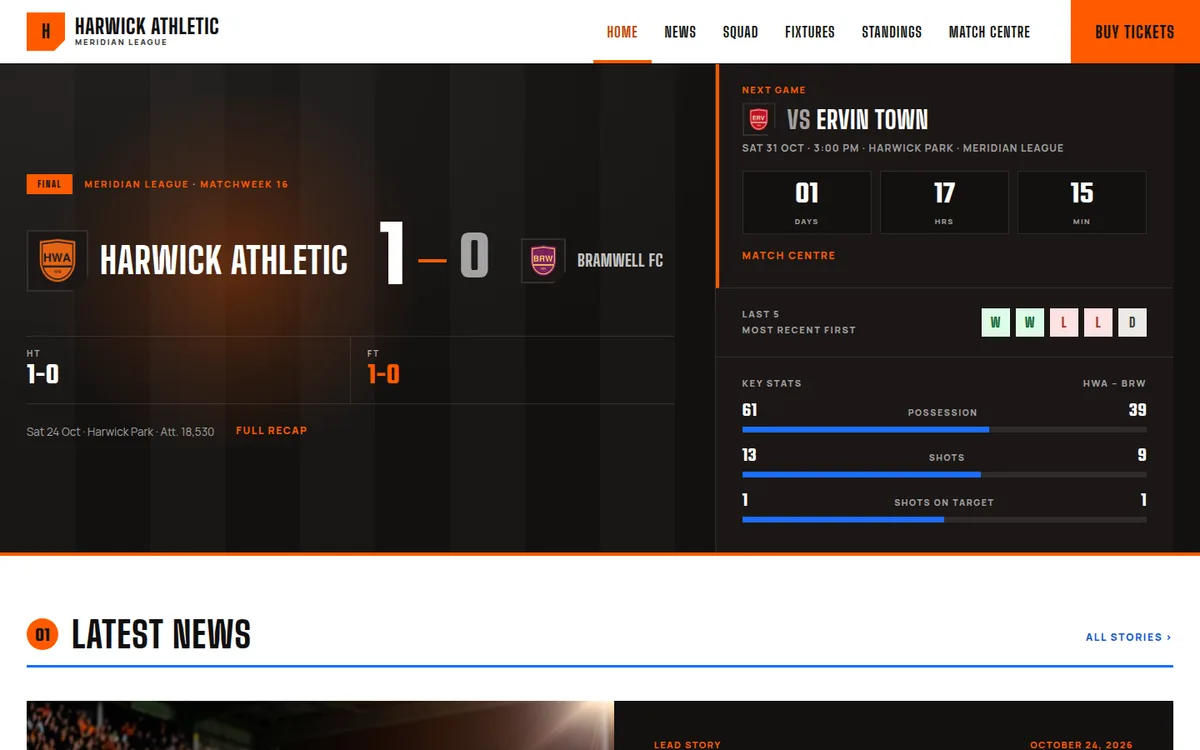
| Broadcast Prime Time | Prime-time TV graphics. Tangerine and electric blue on warm dark ink | A scoreboard with your last result |
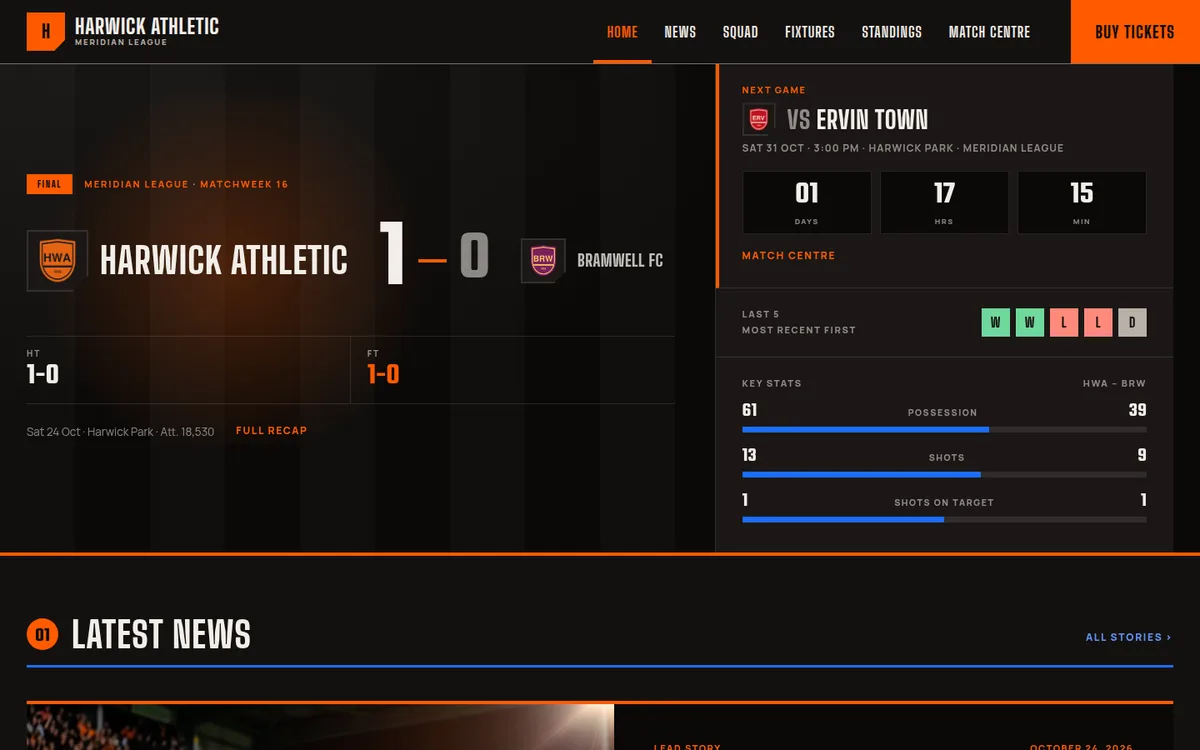
| Broadcast Prime Time Dark | The same design on a dark page (the Away Kit) | A scoreboard with your last result |
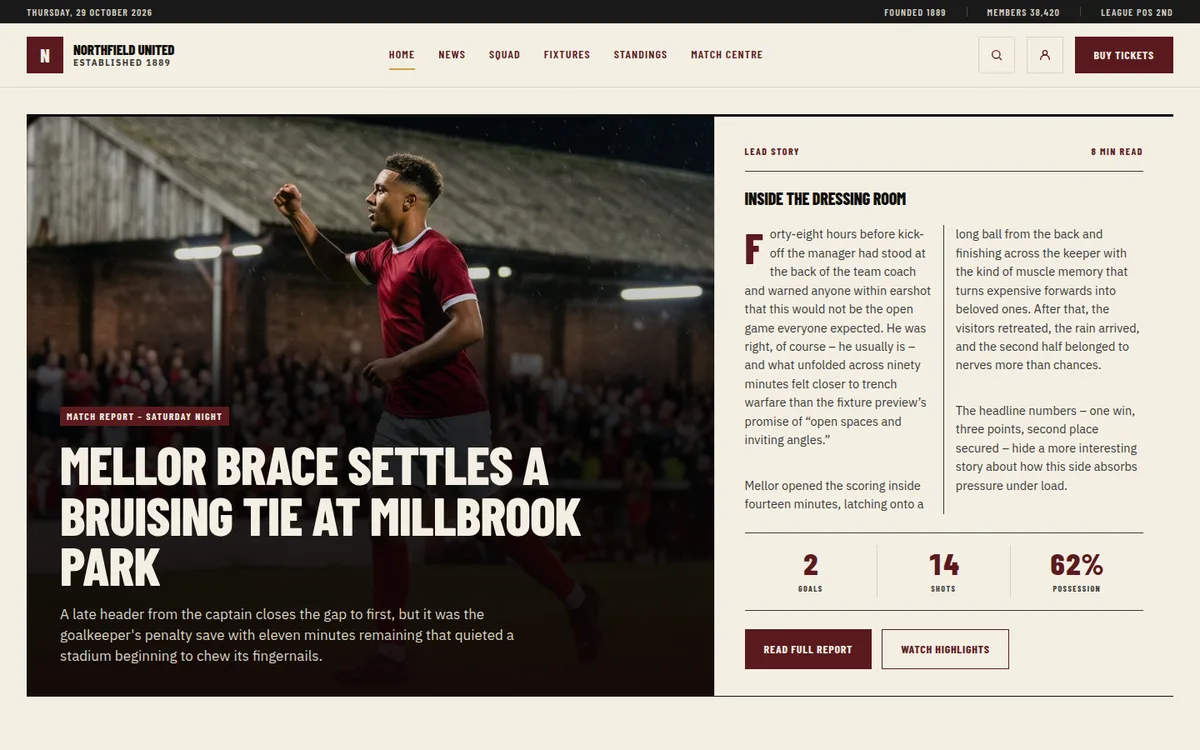
| Heritage Broadsheet | A classic newspaper. Oxblood, cream and gold | A lead story with a big photo |
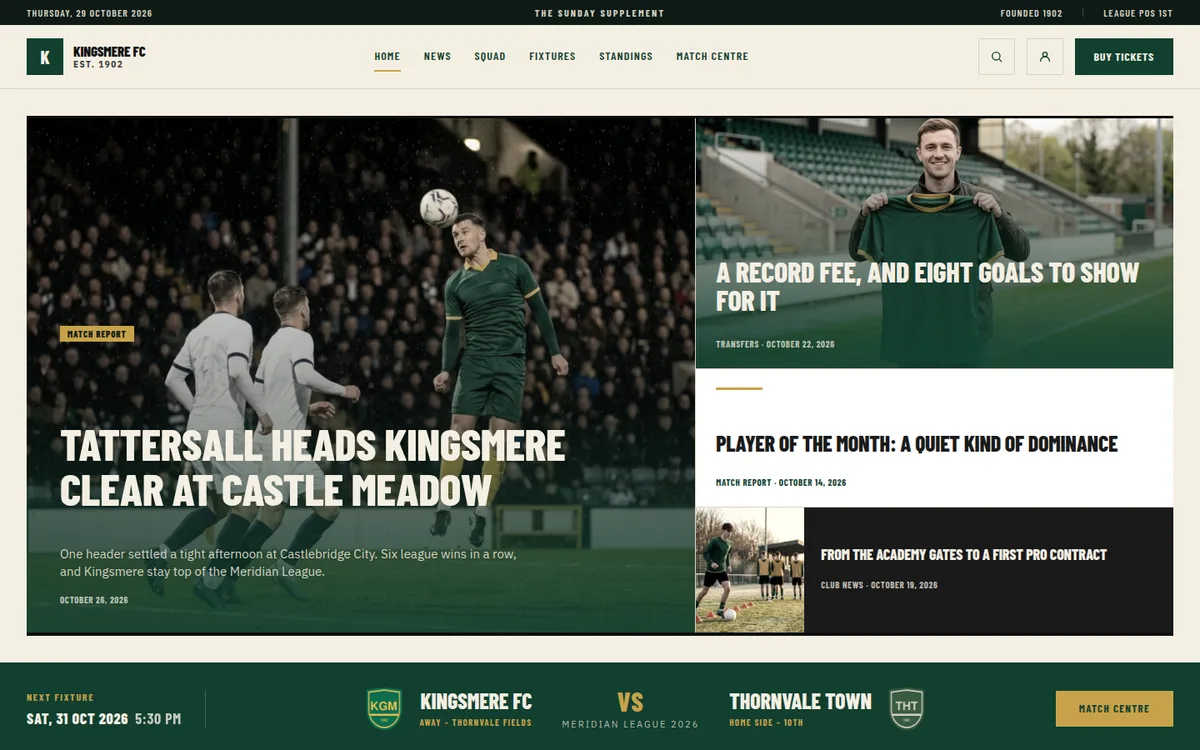
| Heritage Supplement | A Sunday supplement. Bottle green, cream and gold | Four lead stories in a magazine grid |
Club website examples
The clubs on the demos are fictional, so here’s what each design is good at:
- A club with a long history: Heritage Broadsheet leads with a story and gives the long read its own section. Heritage Supplement does the same as a magazine, with four stories up top.
- A club that’s part of its town: Grounded Power gives the women’s team, the Under-21s, the academy and the club’s foundation their own space on the home page.
- Matchday first: Red Scoreline and both Broadcast designs open on your last result and the next game.
- Lots of news, light page: Yellow Wedge keeps the page white and quick, with the table on a slanted yellow panel.
Change the design later
You’re not locked in. Replace takes the current design off and installs a new one, and your own pages, posts and football data stay. On our test site switching from Grounded Power to Heritage Broadsheet took 8 seconds, and the new design showed Ravensholt FC straight away: once you’ve switched to your club, a new design installs without its demo league.
One catch: a design page you edited goes with its design. Copy any text you want to keep before you replace it.
And Remove takes the design off completely. Only what it added is deleted, and your settings come back from the backup taken before the install.
Free vs paid
Plenty of people search for a way to create a club website for free, so here’s the honest answer.
Free: WordPress, the Football Leagues plugin and the Kadence theme cost nothing. With them you get fixtures, results, automatic standings, squads and player stats. You build the home page, menu, header and footer yourself. Hosting and a domain are the only costs, and you’d pay those on any route.
Paid: the designs need Football Leagues PRO and AnWP Club Kit. They’re sold together as one bundle, because a design can’t work without PRO:
| Football Leagues PRO | AnWP Club Kit | Bought apart | The bundle | |
|---|---|---|---|---|
| Annual, 1 site | $149 / year | $49 / year | $198 | $179 / year |
| Lifetime, 1 site | $499 | $149 | $648 | $599 once |
3, 5 and 10 sites are on the checkout. Many clubs run an English site and a local-language site – that’s 2 sites, so take the 3-site bundle. Every plan has a 14-day money-back guarantee. If an annual licence runs out, your site and design keep working. Updates and support stop until you renew.
Already on Football Leagues PRO with an annual or lifetime licence? Email contact@anwp.pro for AnWP Club Kit on its own.
Which one is right for you?
Choose the free route if you:
- Like building pages and don’t mind a few weekends on the layout
- Only need a table or a fixture list inside a site you already have
Choose a ready-made design if you:
- Want a finished home page, header, footer and match pages on day one
- Run the site as a volunteer and would rather spend the time on match reports
- Want to try a different look later without rebuilding anything
A sports club website builder or WordPress?
Hosted club website builders get you online fast, and some handle memberships and payments too. That’s a fair choice. WordPress takes a little more setup, but the site and its data are yours: you can move hosts, add any plugin and keep every season’s results and stats on your own domain. And with Football Leagues the table and the stats calculate themselves from your results.
Not a football club? AnWP Club Kit is for Football Leagues today. A version for Sports Leagues (basketball, rugby, volleyball, ice hockey and more) is planned.
Get started
- Look at the 7 live demos and pick the one closest to your club.
- Get the Football Leagues PRO + AnWP Club Kit bundle.
- Follow the install guide, then Make It Your Club.
Questions before you buy? Email contact@anwp.pro, or see the designs.